
Killer Short Season Seven is already here, which means it’s time to start getting your one-page horror scripts ready!
Winning The Killer Shorts One-Page Category boosts your visibility as a horror writer, lands you a kick-ass skull trophy, and awards you a prize package that is designed to help you produce a 1-minute short film based on your script, which can be a fantastic calling card for yourself as both a writer and filmmaker!
I’m a Season 3 winner in the Killer Shorts One-Page Category and have competed in close to a hundred one-page script challenges on the Script Hive discord server.
Throughout that time, I gathered tips on how to consistently write one page horror scripts from other writers, as well as developing a few of my own and want to share them with you here.
You can browse loglines and request to read unproduced horror short screenplays (including 1 pagers) in the new Killer Shorts Script Directory.
So how do you tell a great horror story in just one page?
Tell A Full Story
In all of the many the one-pagers I’ve read, there are two approaches writers take.
Some pages are written as brief, self-contained stories. Others are written as if we’re catching a glimpse of a larger saga, even if the other chapters only exist in the writer’s head.
Both are valid approaches.
One-pagers can absolutely be framed as if they’re a small piece of a larger story, BUT your script should not read like it’s a random page pulled out of a horror feature.
The script has to hold its own as a standalone work, delivering a complete, compelling story within the short format.
Even if it’s only one page, your horror screenplay needs a clear narrative arc that propels your reader from the first line to the final moments of shock and horror:
NARRATIVE ARC
a. Setup: Establish the time, place, and characters, developing a sense of unease quickly.
b. Build tension: Introduce the horror gradually, slowly escalating on that initial sense of unease.
c. Climax: The moment of peak terror, cathartic violence or surprise.
d. Ending: A memorable resolution that hits the reader with a chilling finality— or a sense of open-ended dread.
All that in one page?!
Yes. And you can do it. By planning out your page.
Page Planning
A single screenplay page has 55 lines to work with, so generally, you have roughly 13 lines to “spend” on each of the above four narrative beats.
Envisioning the page of your screenplay, it should look something like this in terms of where you are in your narrative arc, relative to page position:
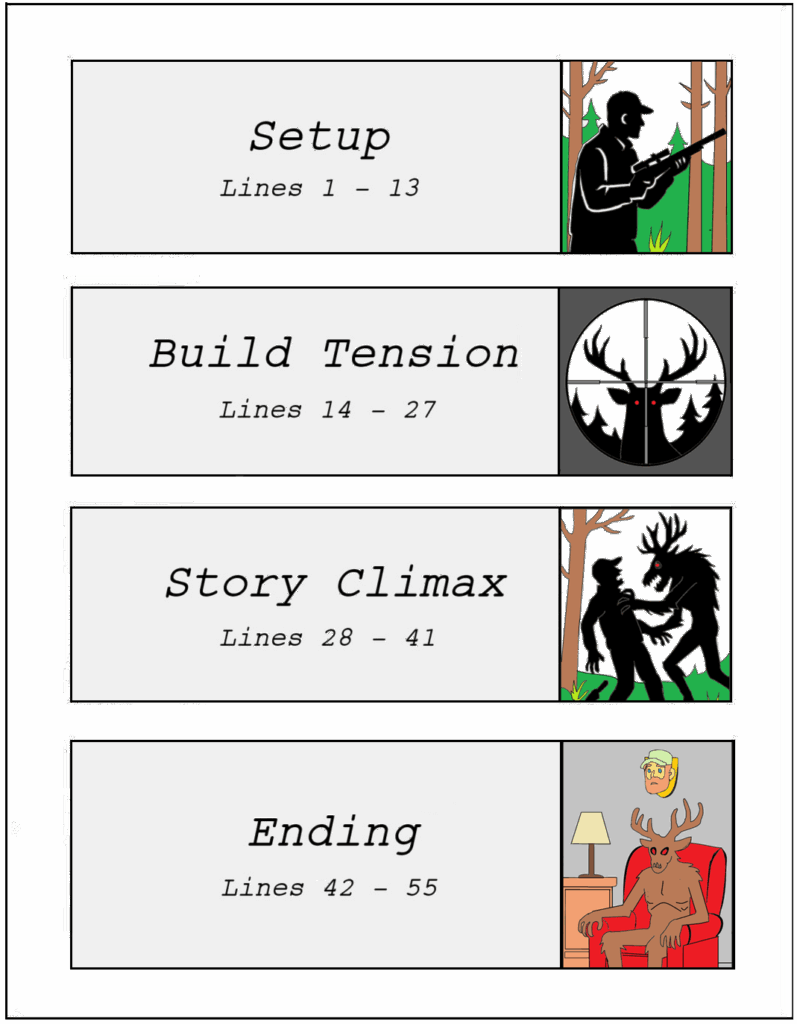
Ok, I added that last picture of a wendigo in a LA-Z-BOY armchair for fun, and is probably neither chilling, nor fills you with dread, like I suggested an ending should, but it IS surprising and memorable.
Together with the other three pictures, they give simple examples of a complete one-page narrative arc:
- A HUNTER alone in the woods (Setup – Introduce setting and characters).
- The Hunter spies what he thinks is a deer. It stares back at hime with glowing red eyes. (Build Tension – Introduce growing sense of unease.)
- The creature is revealed to be a WENDIGO, who attacks the Hunter (Climax – The peak moment of tension/violence).
- In an ironic twist, the Wendigo takes the Hunter’s head as a trophy (Ending – Conclude with a memorable resolution).
Is the page planning layout I suggest above a rule to live and die by? Do you have to divide your page exactly like that, to the line?
Nope. It’s just a guideline, and to remind you that structure and pacing still matter, even if it’s just one page.
You can absolutely spend more lines on one beat or the other if you feel your story requires it, so long as you are aware that by doing so, you’re shortening other beats, so spending the extra space needs to have a significant pay off.
BUT if you find yourself on Line 30 and you’re still in Setup mode, describing the birds and trees and grass outside of a murder house and you still haven’t taken us INSIDE the murder house yet, you’ve taken a wrong turn.
Or more accurately, you’ve taken no turn at all, and you’ve wasted a perfectly good murder house, and should consider re-thinking your page. Enough of your nature poems, this is a horror script. Snap out of it!
So now that we’ve discussed a general layout of your story on the page, let’s talk about how you can spend your page space to tell that story.
Spending Your Page Space
When writing one-page scripts, every action you take, much like life, brings you that much closer to the end. So, let’s take a look at the accepted screenplay elements and what their space “cost” is on your page.
| Element | Number of Lines |
| Scene Heading | 3 lines (Automatically two lines above, and one for the Scene Heading itself) |
| Action Line | One line minimum |
| Dialogue | 2 line minimum (CHARACTER NAME on first line, dialogue on subsequent lines) |
| Parenthetical | 1 Line |
| Transition | 3 Lines (Automatically two empty lines below the Transition line; the reverse of a Scene Heading) |
Aside from being the industry standard, these formatting elements provide clarity and flow to your script. But with a one-page script, you need to choose your elements wisely.
The following space management tips were earned sitting in front of my laptop with Final Draft open every weekend, screaming “Why won’t you fit?!” at the perfectly crafted closing line of my new one-pager. As it stubbornly sat at the top of Page 2.
And now I share them with you.
Managing Screenplay Elements
Scene Headings
Multiple Scene Headings eat a lot of white space on your page, so try to contain your one-page script to a single location if you can. This helps maintain simplicity and clarity, and saves the page space that a second (Let alone a third?! Are you insane?!) Scene Heading would cost you.
Action Lines
Action lines have the widest page margins (62 characters allowed) and don’t add any additional lines of white space like Scene Headings and Transitions do, so Action Lines can be your best friend on a one-pager. Action Lines give you more words per line, and take less lines per use of this, so you should try to convey as much as you can on the page using this element.
That said, the temptation might be there to cram a whole bunch of action lines together to get MORE on your page in less space. Resist that temptation. Long blocks of action-lines tamper with the readability and flow of your script. You should never string more than 3 to 5 lines together in a single action block.
Dialogue
Given the extra line you spend on the CHARACTER NAME and then the cruel margins of dialogue lines (only 30 characters), you have to make your characters’ words count. A one-page script is no place for chatty characters who can’t resist a monologue.
Additionally, you might consider that a character’s exclamations of pain or surprise, or crowd/group dialogue, don’t have to be input as dialogue. They can be expressed through action lines.
For example, you might want to have your character say your favorite four letter word to herself, complete with a Sotto parenthetical, which would cost you 3 lines, when it costs you just one line to just say that your character “curses under her breath” in an action line.
Parentheticals
Parentheticals can add unspoken detail to dialogue, but you should try to avoid them in one-page scripts, as they add an extra line to your dialogue blocks. Given the tight space constraints you’re working with, it’s a good idea to leave parentheticals out and let your action lines and dialogue do the heavy lifting.
Transitions
Transitions take up as much space as Scene Headings, so they should be used sparingly.
While in the olden days, scripts typically ended on a transition such as FADE To BLACK, this is NOT a requirement for modern scripts, and they are especially costly for a one-pager.
Unless you truly feel in your heart of hearts that it’s truly enhancing your script, you should FADE OUT Transitions from your one-page scripts. Ahaha… Sorry.
Additional Page Space Tips
If you’re having trouble fitting your story on the page, review your action lines to make sure you aren’t taking the long way to say something that you could rephrase to be more concise. Don’t have a character “start to run”, just have them “run”.
If you are anything like me, you like to add descriptive words that aren’t necessary. The number of times I’ve caught myself describing a zombie as “slowly shambling”— shambling is always slow, so I’ve taken page space to add a redundant description. Review your action lines to remove descriptive words that are redundant or low value.
Orphans and widows occur when a single word of your sentence carries over to a new line, and they are always a waste of space. You should always re-word your sentences to get rid of them and save that extra line on the page.
Balancing Minimalism and Immersion
With all this focus on how to plan your page and maximize space, it may seem as if the goal is to use as few words as possible to tell your story. More accurately, it’s about making every word count.
You do have to trim the fat on language for one-page shorts, but if you strip it down too far, the language can become dull and can keep the reader at a distance.
So, the key is finding a balance between both efficiency on the page and using immersive language that will draw your reader in.
Make It Visual
Screenplays rely heavily on visual storytelling— so use your words to CREATE IMAGERY that unsettles the audience.
For example, instead of just telling us a room is creepy, give us details that creep us out:
“The wallpaper peels like old flesh.”
“Something dark DRIPS from the ceiling, spreading in a black puddle across the floor.”
Every visual description should cause unease in your reader.
But Don’t Forget the Audio
While screenplays are a visual medium, I believe it’s a great idea to leverage audio cues as well. Horror is a genre that relies on unsettling sounds to great effect, so don’t forget to use them on your page when appropriate.
For example:
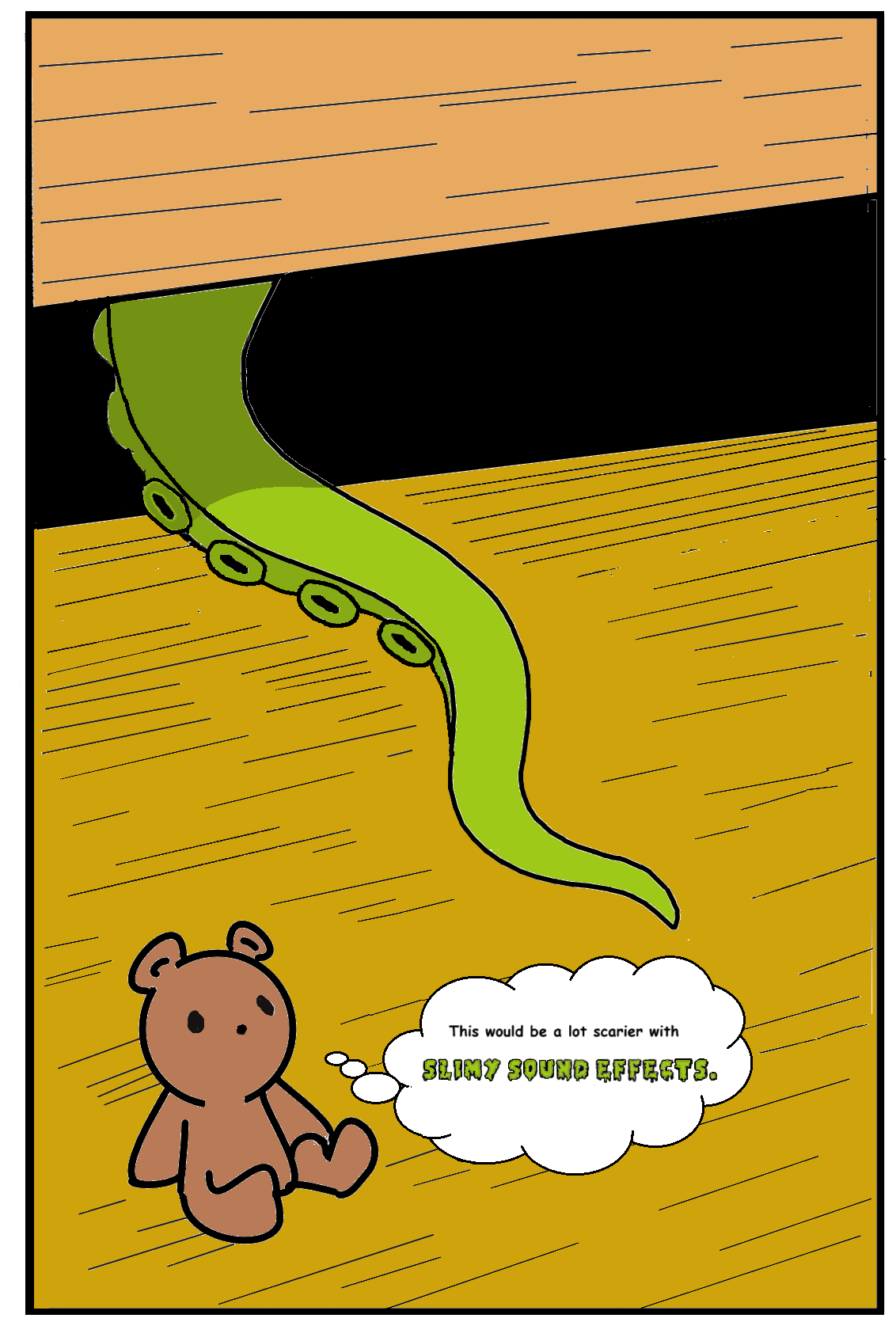
A monstrous tentacle slithers from beneath a child’s bed.
That’s a horrifying idea just as a visual!
But close your eyes and think of what sound that tentacle might make as its slimy suckers slide along the hardwood floor, leaving a trail of ooze, searching for its footy-pajama-ed prey…
Do you hear A SLIMY, SLIPPERY, SQUELCHING sound, like wet, raw meat dragging across the floorboards? Or maybe the tentacle is almost silent, SCRAPING the floorboards with just a WHISPER as it serpentines towards its target.
If you’re like me, you can hear that sound in your head, and that makes the thought of that tentacle far, far worse.
Pick the most unsettling words that spring to mind for your scene and put it on your page so your readers can HEAR the horror as well as SEE it.
Closing Thoughts
I hope this article is helpful to you in crafting one-page horror scripts that can scare the willies out of your readers. If there is one additional item I want to leave you with, it’s don’t just write a scary one-pager.
Write DOZENS of them.
It’s fantastic practice for both short and long form screenplays, and the short time investment means you can freely experiment without losing weeks or months of your life on one script.
And best of all, the short length means you can likely get a ton of readers willing to give feedback, which is critical for improving your scripts and growing as a writer.
There are weekly one-page competitions on both the Script Hive and Killer Shorts discord servers where you can submit one-pagers and get feedback right now. So what are you waiting for?
JOIN THE KILLER SHORTS DISCORD
No, this isn’t a shameless plug. The Killer Shorts Discord is an excellent place to meet other genre writers, where you can discuss all things horror. Participate in Question of the Day, which is designed to help get those creative wheels turning and promote thoughtful discourse, and as mentioned, they host a weekly one-page challenge, a great way to practice compact and effective writing and get free feedback from peers. Plus, you can win a free entry into the Killer Shorts one-page contest!
KILLER SHORTS CONTEST
Want to take a stab at winning some amazing prizes from Killer Shorts, including $500 and a sick skull-shaped trophy?
Submit your 1-page horror short via directly for just $10 through the Killer Shorts website at https://killershorts.com/submit.
Looking for feedback? Check out our short script coverage.
Killer Shorts submissions are also accepted via FilmFreeway and Network ISA.
